Nokē Smart Entry 101: Is It the Best Lock for Your Storage Unit?
Renters who are new to app-based access often have the same question before signing a lease: what exactly is Nokē, and is it really the best lock for a storage unit compared to a padlock from the hardware store? The short answer is that it works differently than a traditional lock, and for most people, that difference is a genuine upgrade. Here is what you need to know before your first visit.
What Nokē Smart Entry Actually Is
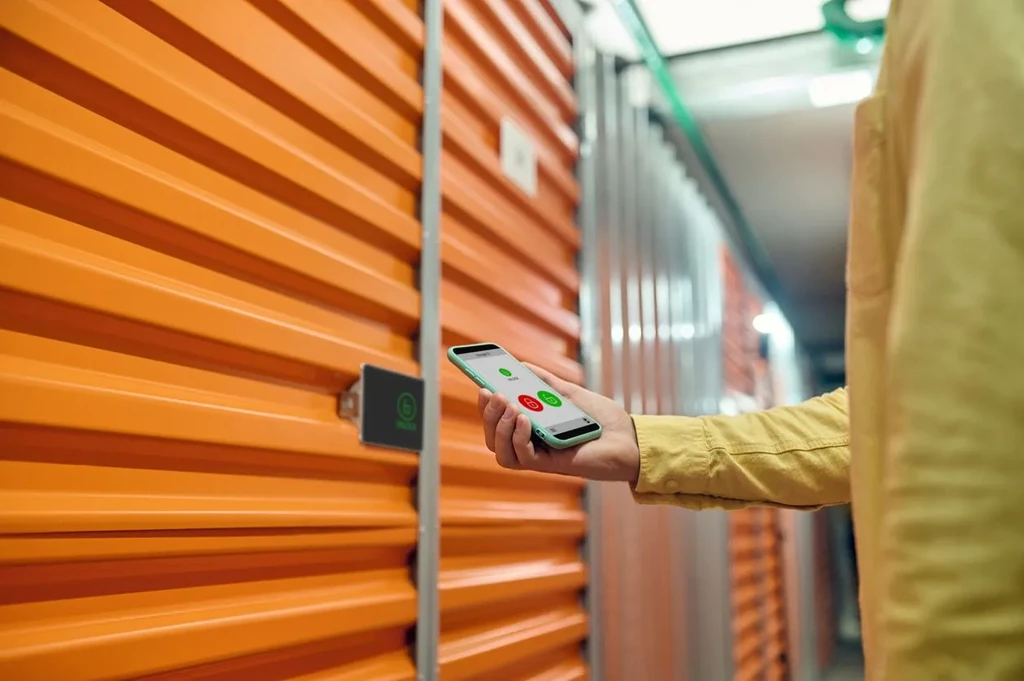
Nokē (pronounced "no-key") is an app-based locking system designed specifically for self storage. Instead of a physical key or a combination dial, your smartphone acts as the credential. You download the Nokē app, link it to your rental account, and from that point forward your phone opens both the facility gate and your individual unit door. No key to lose, no combination to forget.
The lock itself is a hardened, tamper-resistant unit installed directly on your storage door. It communicates with your phone via Bluetooth, so the connection happens when you walk up to your unit, not from across a parking lot. You tap the app, the lock releases, and you pull the door open. The whole process takes a few seconds.
How It Compares to a Standard Padlock
A disc padlock or a shrouded shackle lock is a solid choice for a storage unit, and for decades it has been the default. The practical limitation is that a physical key can be copied, misplaced, or forgotten at home on exactly the day you need it most. A combination lock avoids the key problem but introduces its own: combinations get shared, written down, or simply forgotten over time.
Nokē addresses both of those issues. Access is tied to a verified account, so sharing it requires deliberately granting permission through the app. If you ever need to give a family member or contractor temporary access, you can do that digitally and revoke it just as easily. There is no physical key to hand off and no combination to change afterward.
For renters who want a practical, low-friction option, Nokē is a strong case for being the best lock for a storage unit in a modern facility. That said, it does require a smartphone and a charged battery, so keeping the app updated and your phone charged before a visit is worth building into your routine.
What to Expect on Your First Visit
After you complete your rental online or in person, you will receive instructions to download the Nokē app and activate your access. The setup takes only a few minutes. When you arrive at the facility, the app handles gate entry and unit access in one continuous experience. If you have questions about the process before your first visit, our full list of storage features covers what to expect at each location.
New to self storage altogether? Our first-time renters guide walks through the basics of renting, from choosing a unit size to packing efficiently. And if you are still figuring out how much space you actually need, our unit size guide is a practical starting point before you commit to a unit.
Where to Find Nokē-Equipped Facilities in New Hampshire
You can browse our full list of self storage locations in New Hampshire to find a facility near you. If you are in the Seacoast region, our Greenland storage units are a convenient option. If you are further inland, you can check out storage units in Manchester.
App-based access is one of those features that sounds like a small convenience until you are standing in a parking lot on a cold February evening and realize you left your padlock key at home. Nokē removes that scenario entirely, and for most renters, that alone makes it worth choosing a facility that offers it.